

Appearance
LearnDash
FluentPlayer works inside LearnDash course and lesson pages without any extra configuration. Add the FluentPlayer block or the FluentPlayer Playlist block to any LearnDash lesson the same way you would on any other WordPress page.
Before You Start
Make sure your media items are ready before editing a lesson. Create and configure your videos under FluentPlayer → Media so they are available to select when you add the block. See Adding and Editing Videos if you have not done this yet.
Adding a Video to a Lesson
- In your WordPress admin, go to LearnDash → Courses and open the lesson you want to edit.
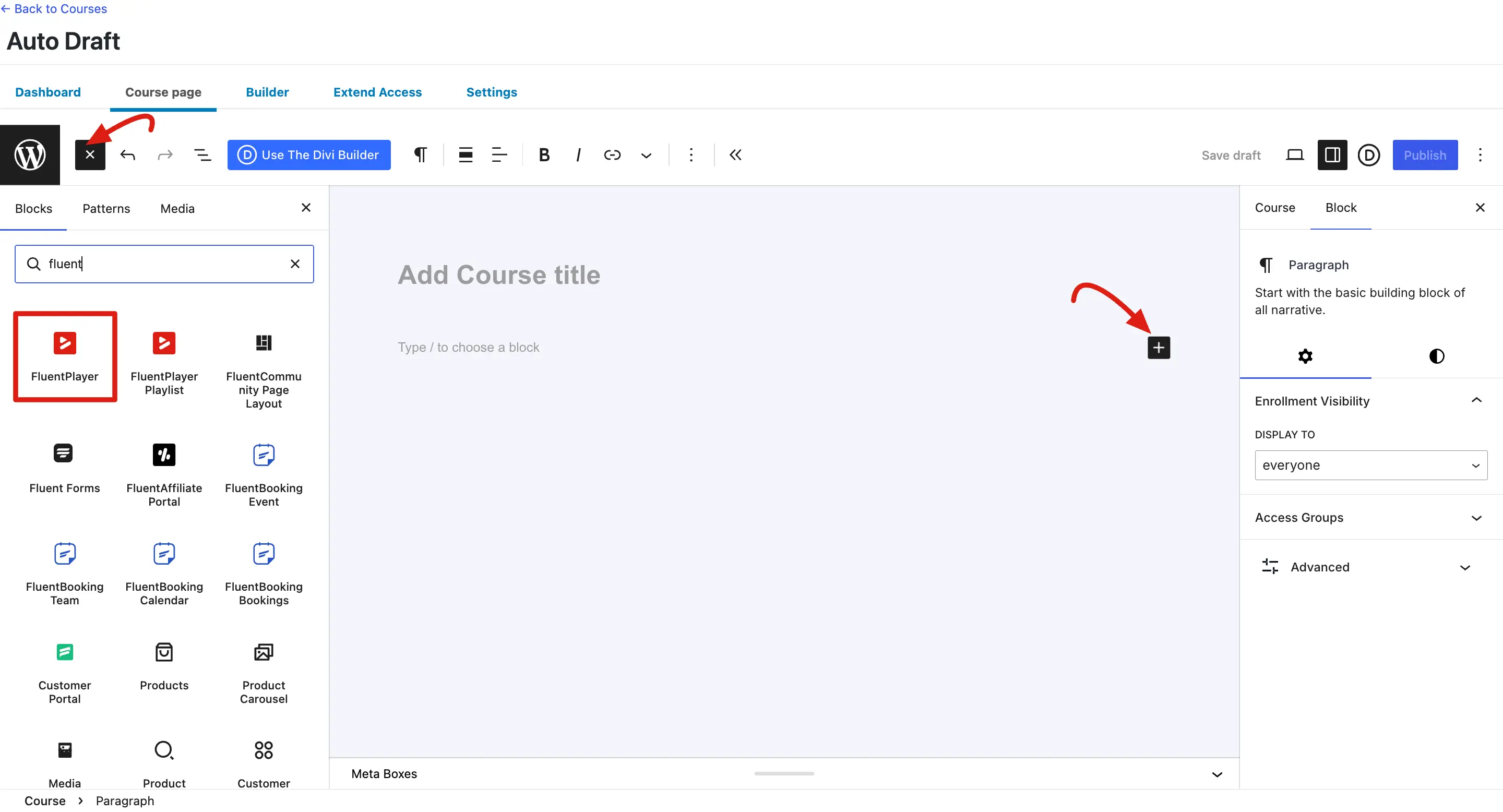
- Inside the lesson editor, click the + (Plus) icon to add a new block.
- Search for FluentPlayer and select the FluentPlayer block.
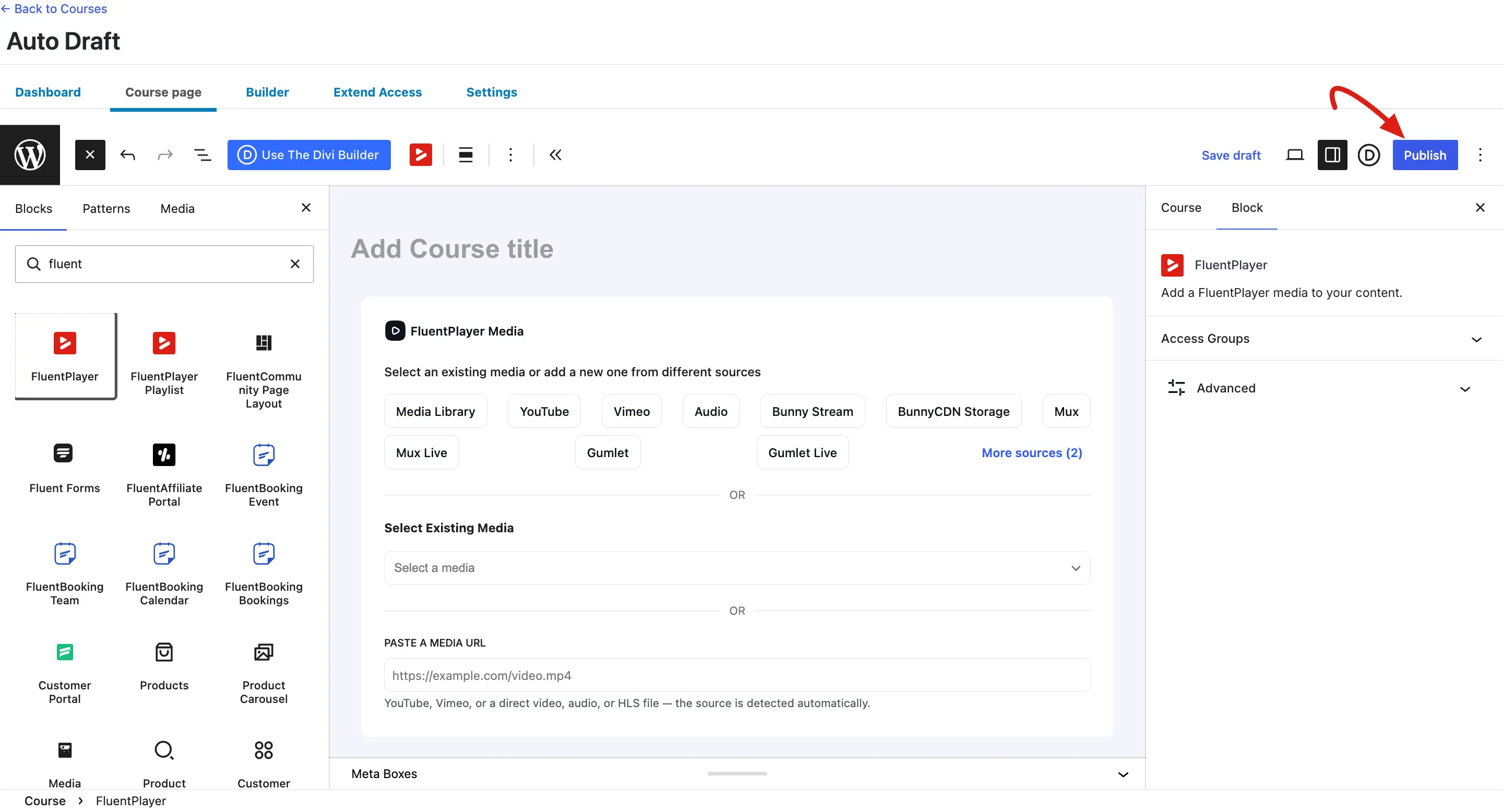
- In the block settings panel, choose your media item from the dropdown, or select a source type (WordPress, YouTube, Mux, Bunny Stream, and so on) to pick or upload media.
- Click Update or Publish to save the lesson.
The player will appear on the lesson page exactly where you placed the block, using all the settings configured on that media item — preset, controls, branding, and any interactive layers.
Adding a Playlist to a Lesson
- Click the + icon in the lesson editor and search for FluentPlayer Playlist.
- Select the FluentPlayer Playlist block.
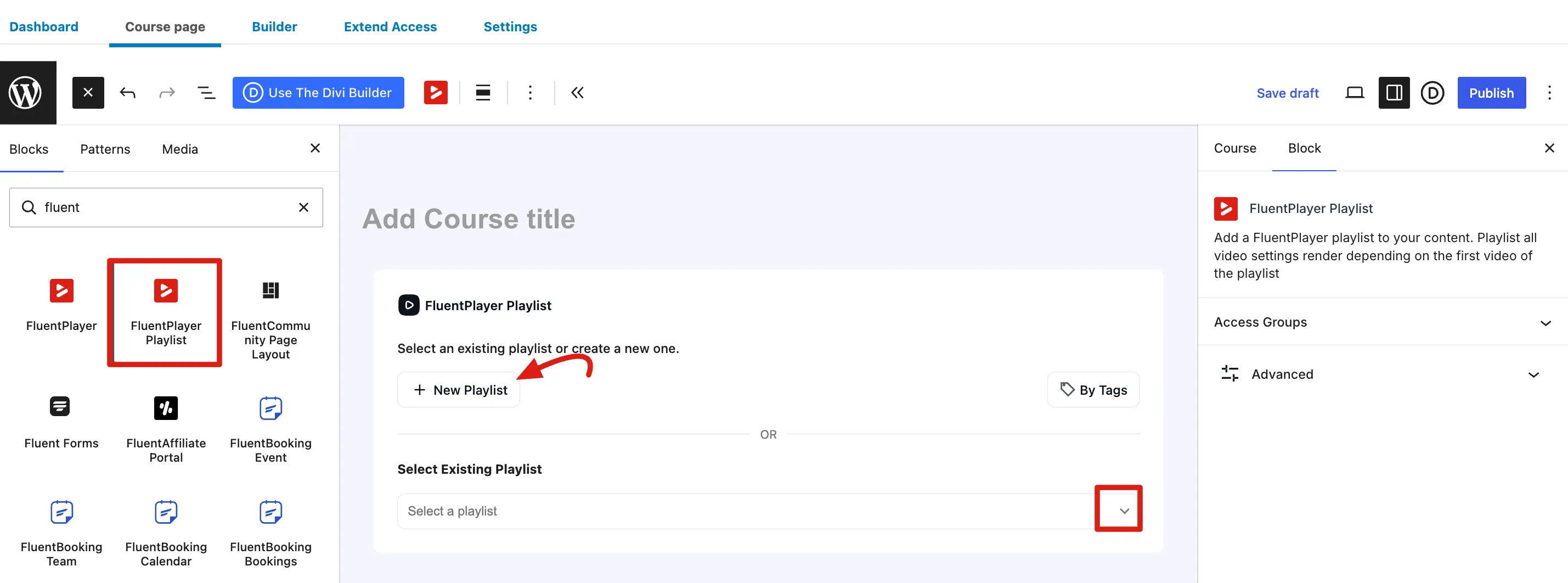
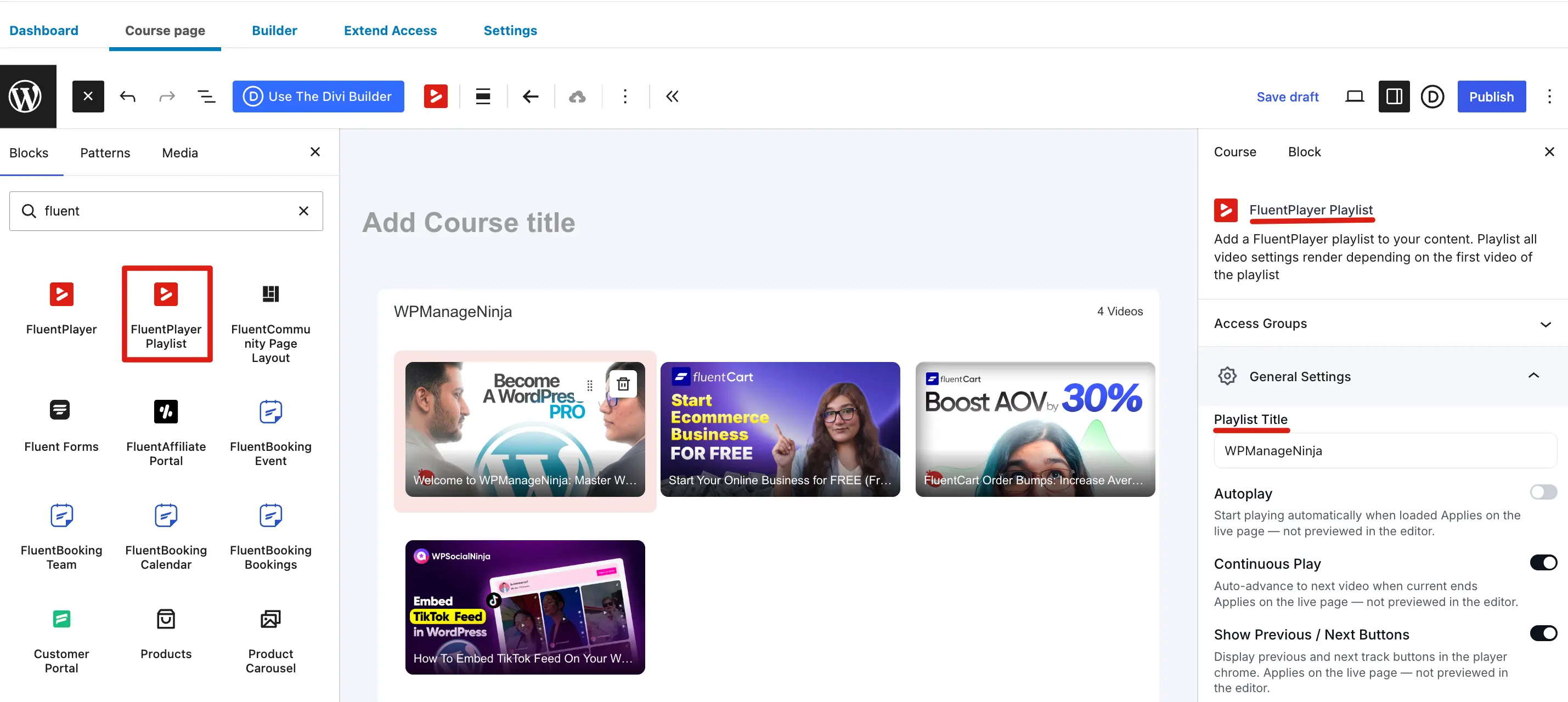
- In the block settings panel, choose an existing playlist from the dropdown.
- Click Update to save.
TIP
If the playlist does not appear in the dropdown, make sure it has been published under FluentPlayer → Playlists. See Creating a Playlist for setup steps.
Shortcode Alternative
If you prefer not to use the block editor, or if a lesson uses the Classic Editor, you can embed any FluentPlayer video or playlist using a shortcode:
text
[fluentplayer id="129"]text
[fluentplaylist id="10"]Paste the shortcode into the lesson content where you want the player to appear. See Embed with Shortcode for all available options.
INFO
Create your media items under FluentPlayer → Media before editing your lesson, so they appear in the block's selection dropdown immediately.