

Appearance
Dedicated Player URL
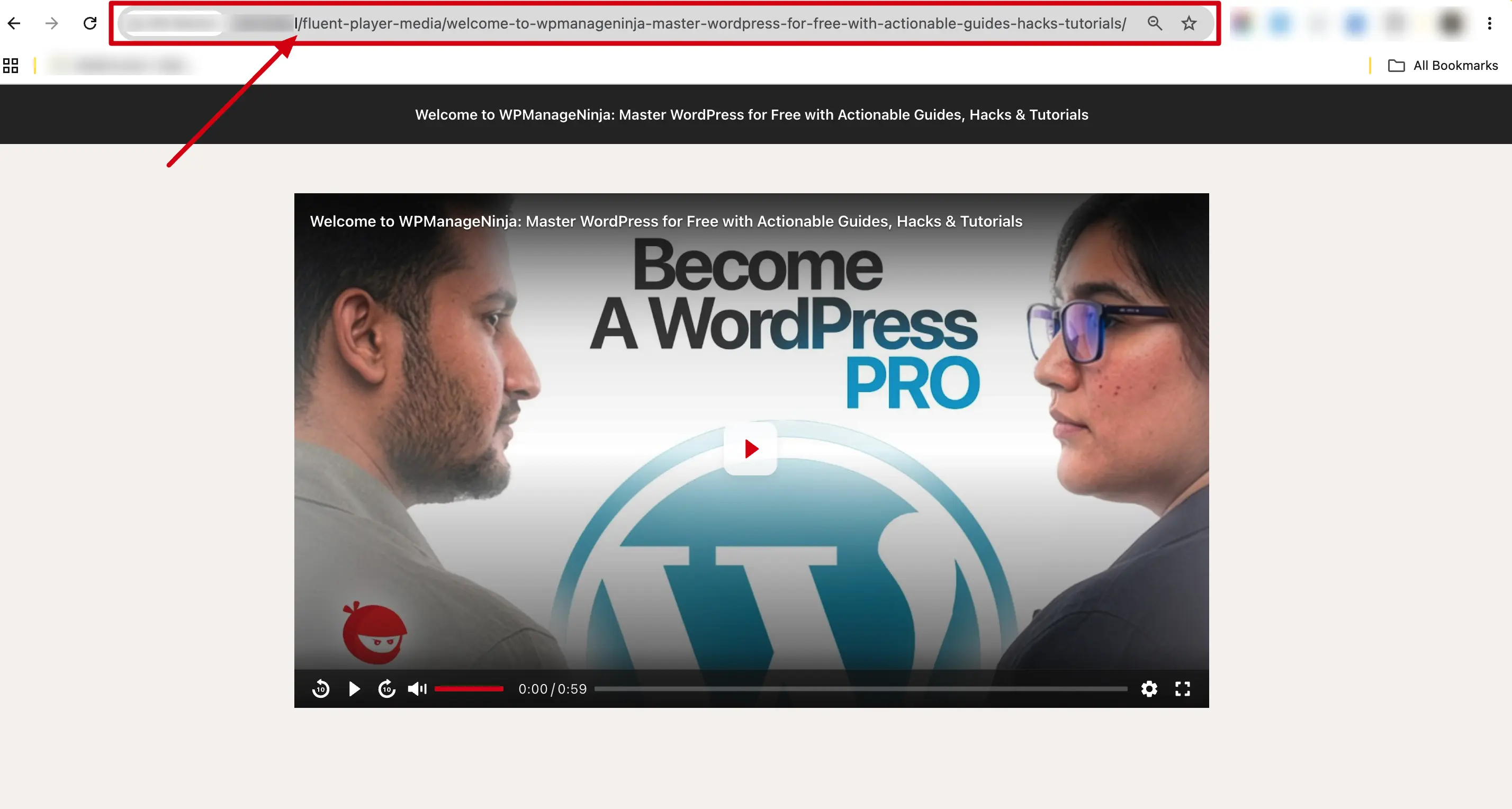
Every FluentPlayer media item has its own dedicated URL — a standalone page that shows only the video player and a small header. This is useful when you want to share a direct link to a video without embedding it inside a regular page.
If you would rather your site never exposed these pages, they can be switched off site-wide. That takes a small amount of custom code — see the Hooks & Filters Reference.
What the URL Looks Like
Pretty permalink (recommended for sharing):
https://yoursite.com/fluent-player-media/master-80-of-google-antigravity-in-27-minutes/The URL uses the slug of the published media. WordPress automatically generates this slug from the media title when you publish the item. The result is a clean, human-readable URL.
What the Page Looks Like
The dedicated player page is a minimal, distraction free layout:
- A header showing the video title (and a "Private" badge if the media is private).
- The video player centered on the page.
- No sidebar, no footer, no extra content, just the player.
This makes it ideal for sharing or embedding in iframes.
When to Use It
| Use case | Why the dedicated URL works well |
|---|---|
| Sharing via email or chat | Send a link that goes straight to the video. No surrounding content to distract. |
| Social media sharing | Post a link that opens a clean video page. |
| Embedding on external sites | Use the URL in an <iframe> on a different website. |
| Internal review | Share a video with your team before embedding it on a public page. |
Who Can Access the URL?
This depends on the visibility setting:
- Public media: Anyone with the link can watch the video.
- Private media: Only WordPress users who can edit the post (like admins or editors) can view it. Everyone else sees a 404 error.
Example:
You have a training video titled "Onboarding Walkthrough" set to private. WordPress generates the slug onboarding-walkthrough, so the dedicated URL is yoursite.com/fluent-player-media/onboarding-walkthrough/. You share the link with your team. Admins can see it. A random visitor gets a "Page Not Found" error.
Later, you toggle the media to public. Now anyone with the link can watch.
How to Share the Dedicated URL
- Go to FluentPlayer → Media and find the media item.
- Click the media to open it. The dedicated URL is
yoursite.com/fluent-player-media/{slug}/, where the slug is automatically generated by WordPress from the media title. - Copy the URL from the browser address bar and share it.
TIP
You don't need to construct the URL manually. WordPress creates the slug for you when the media is published. Just visit the dedicated page and copy the URL from the browser.
Dedicated URL vs Embedding on a Page
| Dedicated URL | Shortcode / Block | |
|---|---|---|
| Layout | Minimal (just the player) | Inside your regular page theme |
| Visibility control | Public/Private toggle on the media | Controlled by the page's status (published, draft, password protected) |
| Best for | Sharing links, iframes | Showing videos within your site content |
Most users will embed videos in posts and pages. The dedicated URL is a bonus for sharing and special use cases.