

Appearance
Multi-Language (Block sidebar)
If your audience speaks different languages, FluentPlayer allows you to offer alternate versions of the same video. This is perfect for videos with different voiceovers or narrations.
Unlike subtitles, which just add text over the screen, the Multi-Language feature swaps the entire video file so the viewer hears the audio in their preferred language.
How to Enable Multiple Languages
To set up different language versions, follow these simple steps:
- Open the video you want to edit in FluentPlayer → Media.
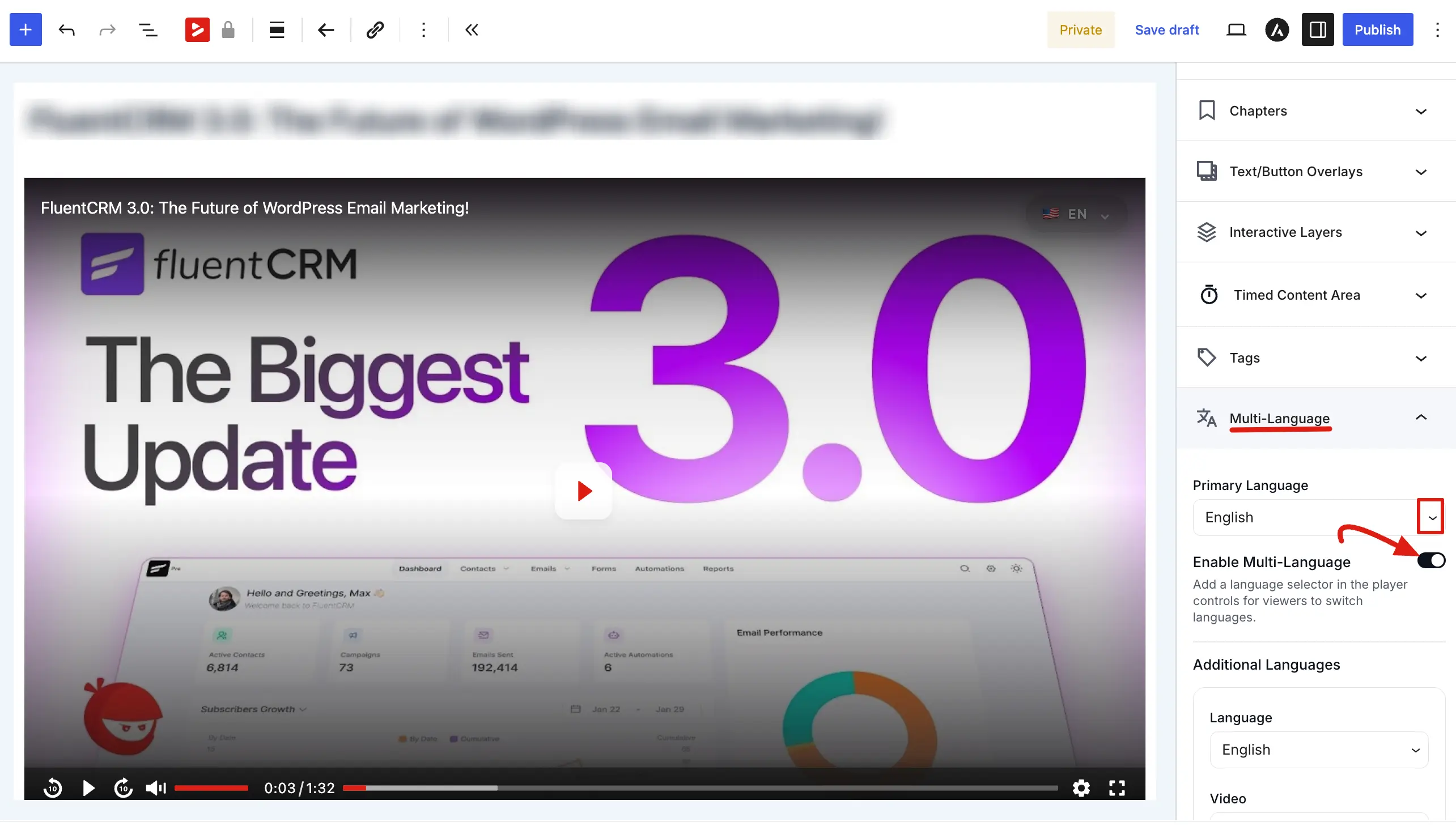
- In the right-hand sidebar, click on the Multi-Language tab to expand it.
- Set the Primary Language: Choose the main language of your video (e.g., English) from the Primary Language dropdown menu.
- Turn on the Feature: Switch the toggle for Enable Multi-Language to the "on" position. This adds a language selector to the player so viewers can switch manually.
Adding and Managing Additional Languages
Once the feature is enabled, you can link and manage your translated video versions:
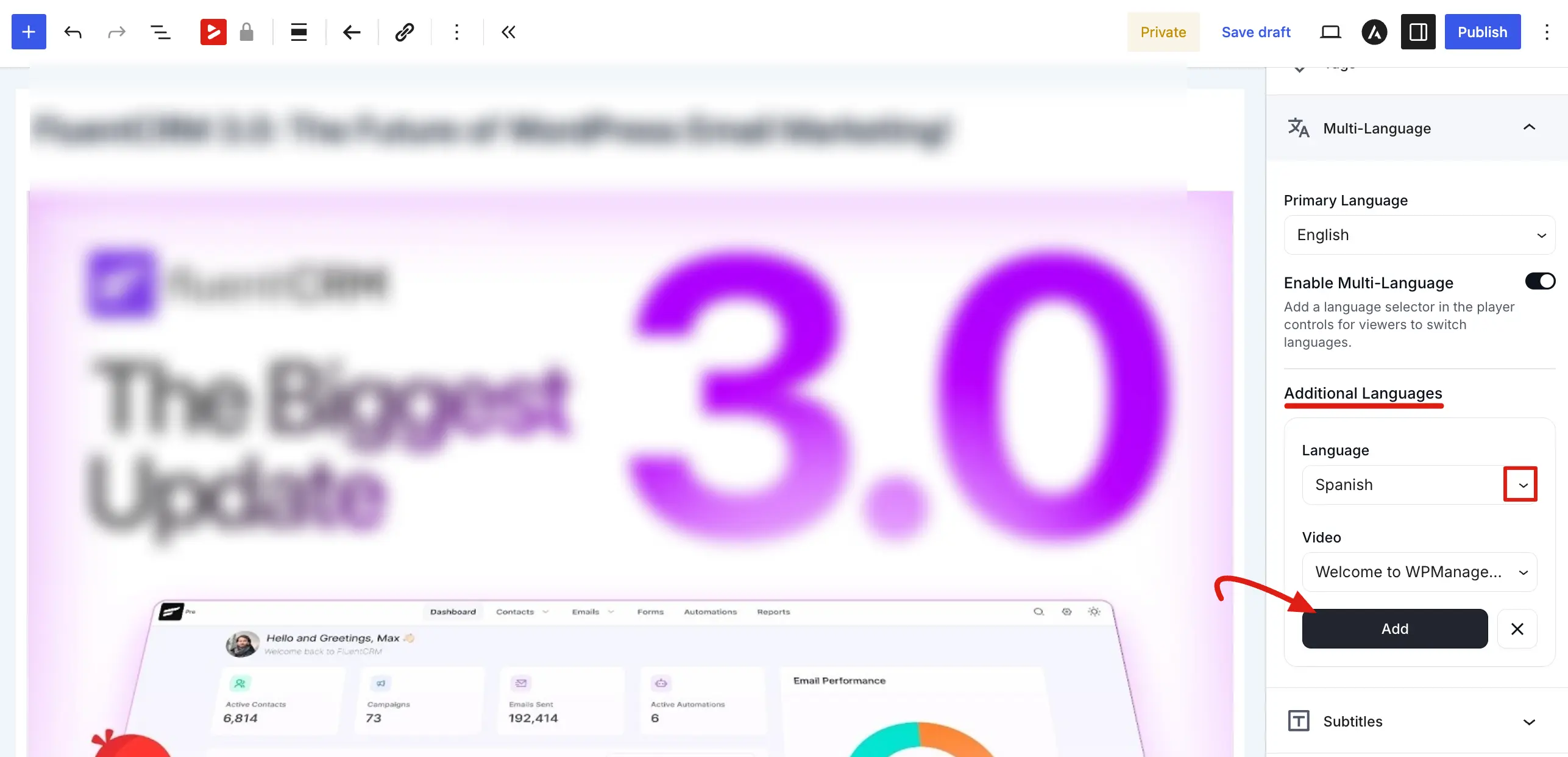
- Adding a Language: Click the + Add New button. Select the language code from the Language dropdown and choose the corresponding media file from the Video dropdown, then click the Add button.
- Editing a Language: If you need to change the video file linked to a language, click the Edit button on the specific language card.
- Removing a Language: To delete a language option, click the Trash/Delete icon on the right side of the language card.
How the Player Works for Viewers
- Automatic Switching: When a person visits your site, FluentPlayer detects their browser language. If you have a matching video version, it can load that version automatically.
- Manual Choice: Viewers can also use the language selector in the player controls to pick their preferred language at any time.
NOTE
Make sure you have already uploaded your translated videos as separate media items before trying to link them in the Multi-Language settings.
Using Multiple Languages makes your content more professional and accessible to a global audience. It is the best way to handle videos where the spoken words change, ensuring everyone understands your message clearly.
Related pages
- Subtitles & Captions — add on-screen text tracks instead of alternate audio
- Multiple Audio Languages — the broader guide to language versions