

Appearance
Embed a Playlist
Once you have created a playlist, you can show it on any post or page using a shortcode or a Gutenberg block. The process is very similar to embedding a single video.
Pro feature
Embedding playlists requires FluentPlayer Pro.
Option 1: Shortcode
Add this shortcode to any post or page:
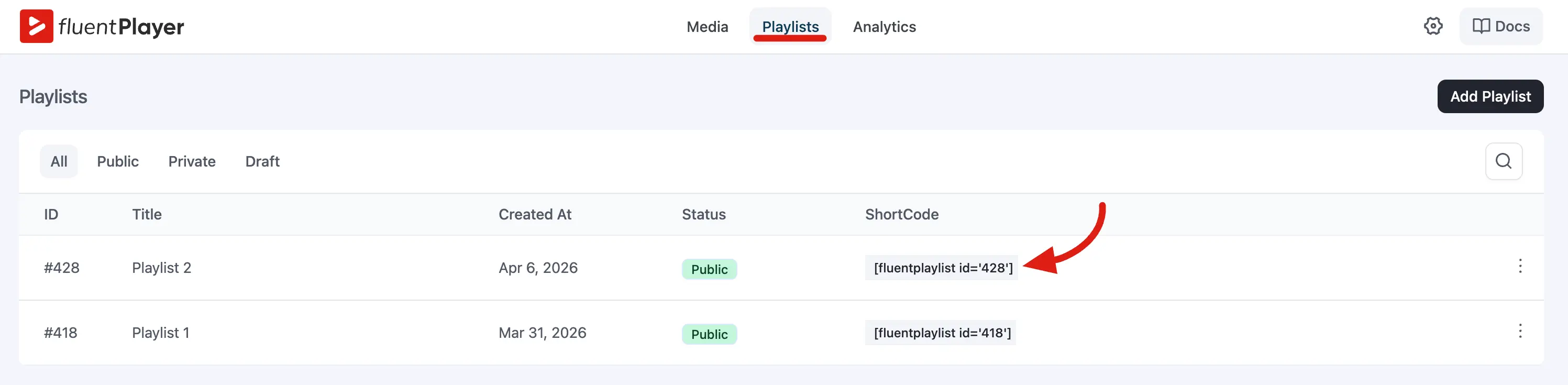
[fluentplaylist id="10"]Replace 10 with your playlist ID. The playlist will appear where you placed the shortcode.
Where to find the playlist ID
- In FluentPlayer → Playlists, the ID appears next to each playlist (for example,
#10). - When editing a playlist, check the browser URL.
Step by Step
In the Classic Editor:
- Edit a post or page.
- Type
[fluentplaylist id="10"]where you want the playlist. - Publish or update.
In the Block Editor (Gutenberg):
- Add a Shortcode block.
- Type
[fluentplaylist id="10"]. - Publish or update.
In a theme template (PHP):
php
<?php echo do_shortcode('[fluentplaylist id="10"]'); ?>Option 2: Gutenberg block
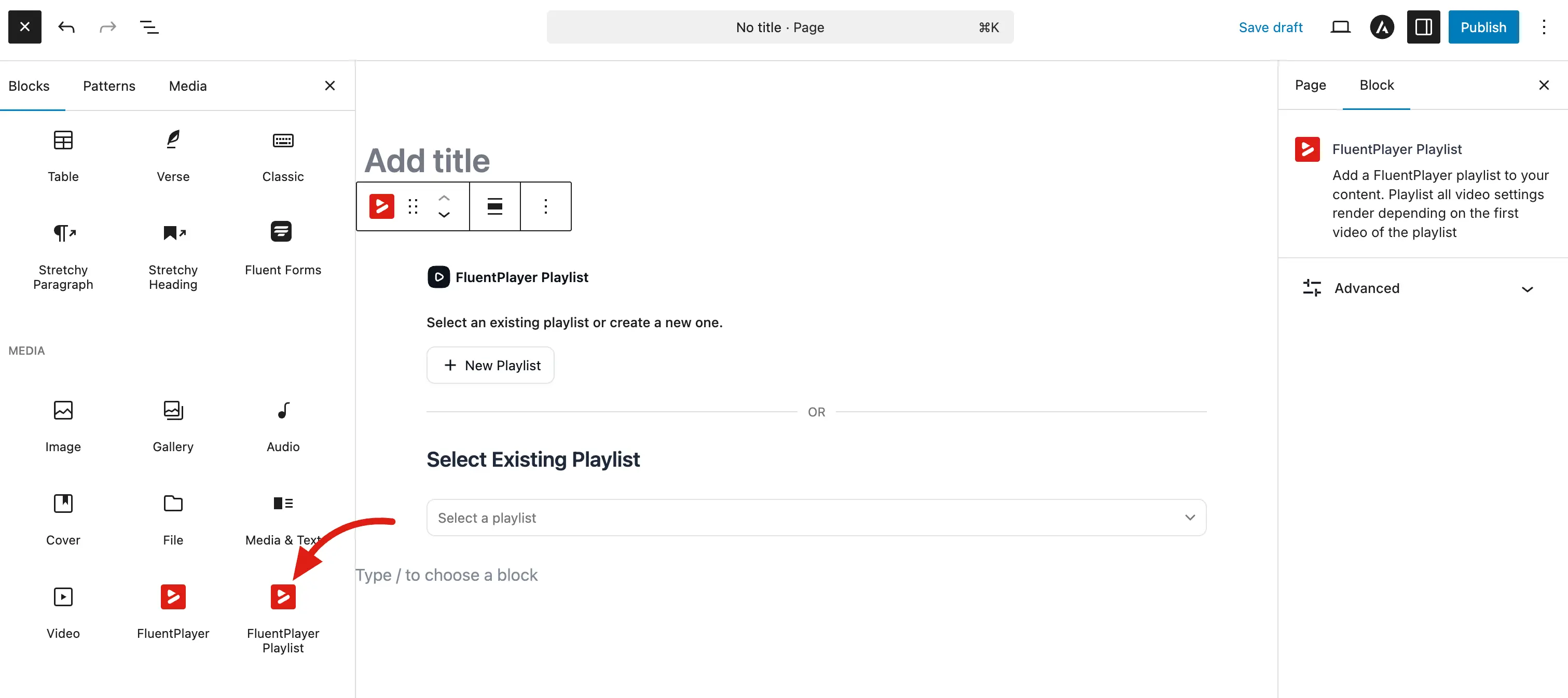
- Edit a post or page in the block editor.
- Click the + button to add a block.
- Search for "FluentPlayer Playlist" or "playlist".
- Select the block and choose your playlist from the dropdown (or enter the ID).
- Publish or update.
The block shows a preview in the editor and renders the same output as the shortcode on the front end.
What the Front End Looks Like
Depending on the layout you chose for the playlist:
- Standard — A player with a video list on the side.
- Grid — A multi-column video grid.
The playlist loads all the media items you added, in the order you set. Viewers can click between videos, and the player handles transitions smoothly.
Common Questions
Can I put multiple playlists on the same page?
Yes. Use separate shortcodes or blocks:
[fluentplaylist id="10"]

[fluentplaylist id="15"]What happens if I update the playlist later?
Changes are immediate. If you add or remove a video from the playlist, every page that embeds it will show the updated list.
Can I embed a playlist in a widget?
Yes, as long as the widget supports shortcodes. Use [fluentplaylist id="10"] in a Text or Custom HTML widget.