

Appearance
BunnyCDN Stream (Pro)
BunnyCDN Stream (also called Bunny Stream) is a high performance video streaming platform that handles video encoding, storage, and global delivery.
With FluentPlayer Pro, you can connect your Bunny account to manage and stream your library directly from your WordPress admin, ensuring your videos load fast for viewers anywhere in the world.
Pro feature
BunnyCDN Stream integration requires FluentPlayer Pro.
Get the API Key
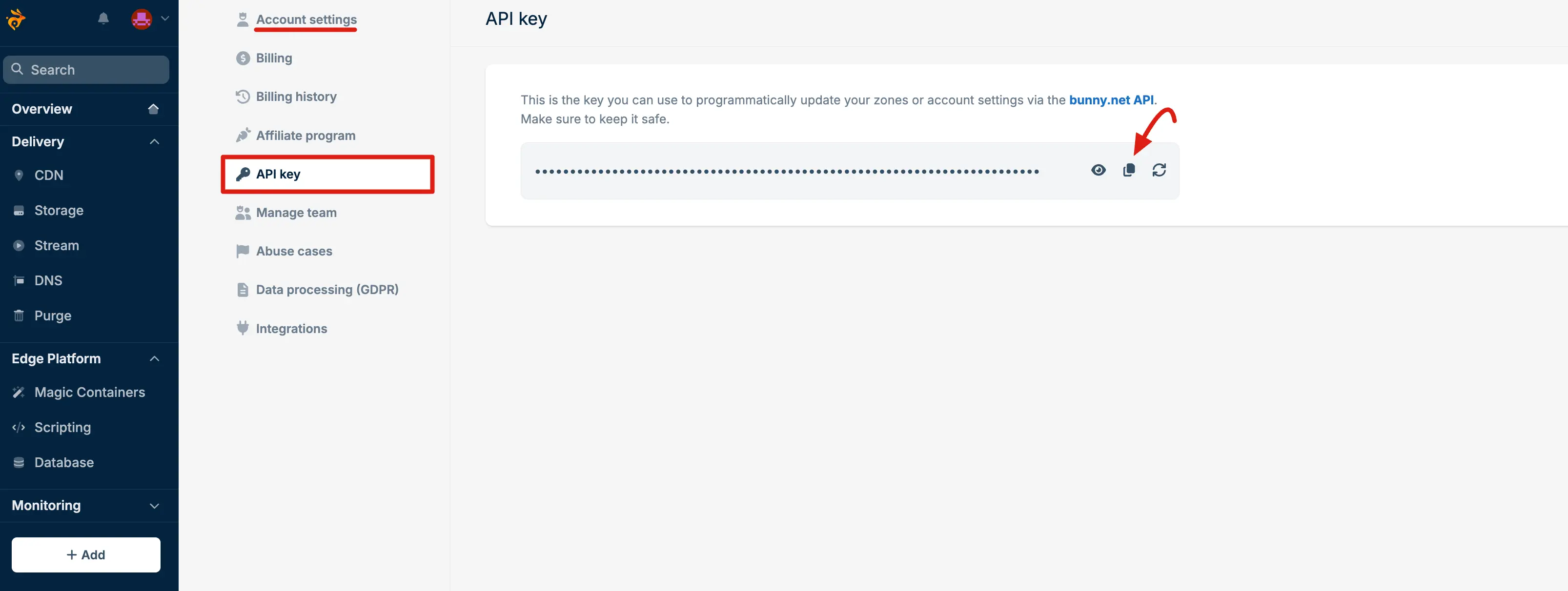
First, login to your BunnyCDN Account. Then, go Account Settings > API Key. Now, copy this API key for FluentPlayer configure.
How to Connect BunnyCDN Stream
To start using Bunny Stream, you first need to link your account to FluentPlayer using your API key.
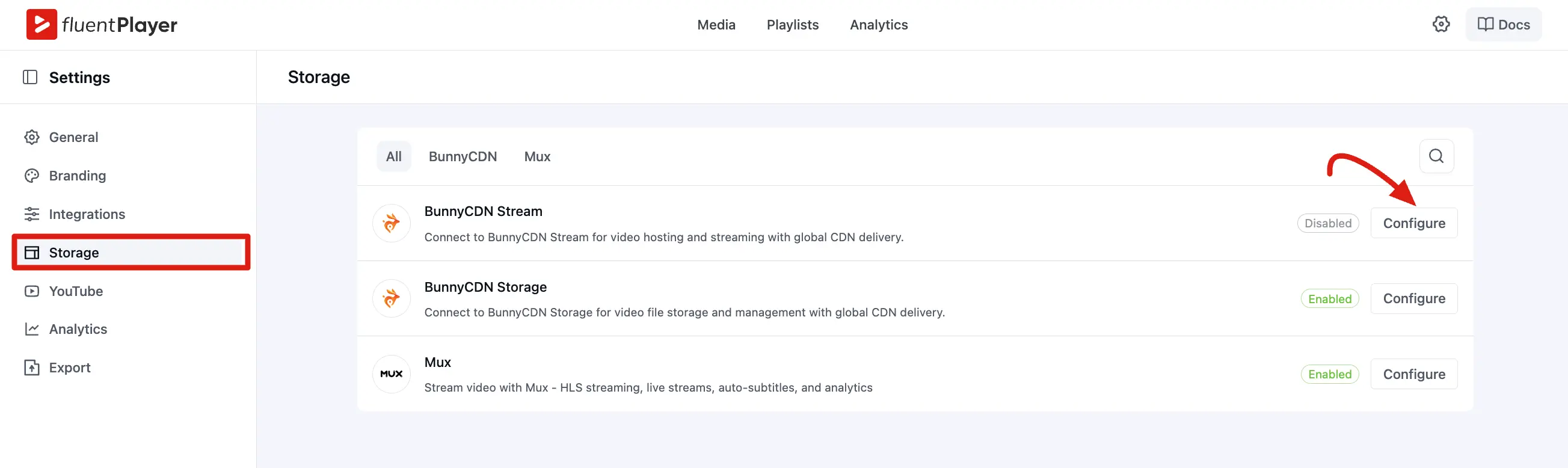
- In your WordPress admin, navigate to FluentPlayer Pro → Settings → Storage.
- Locate the BunnyCDN Stream card and click Configure.
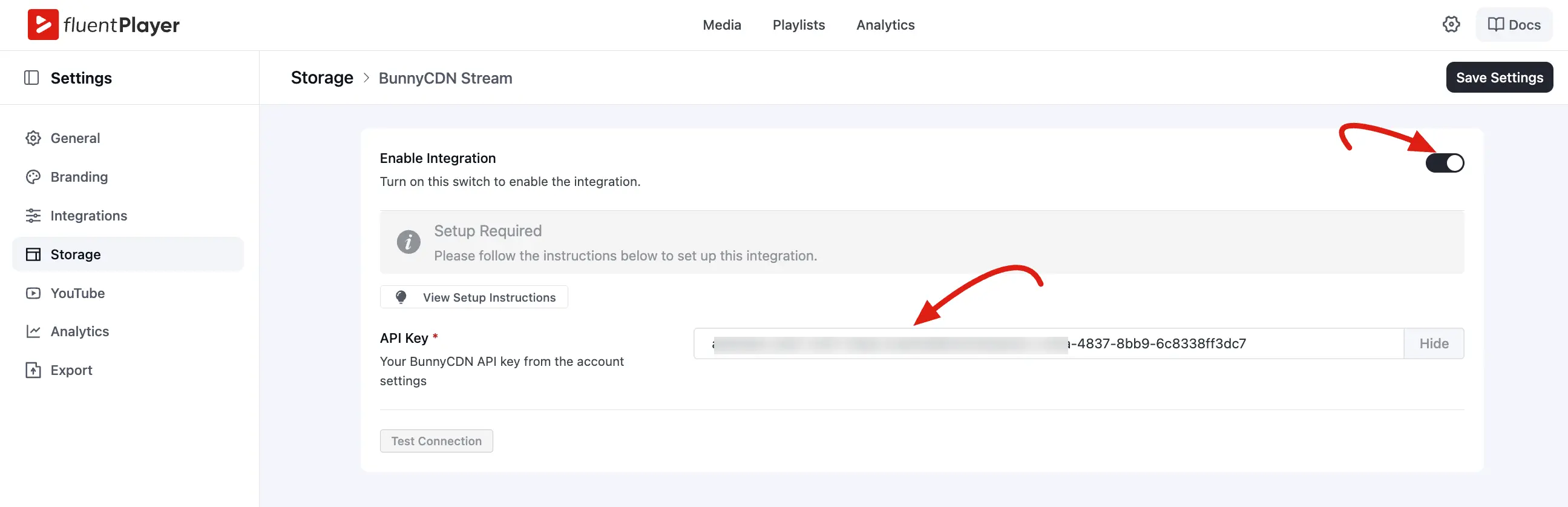
- Toggle the Enable Integration switch to the ON position.
- Enter your API Key (found in your Bunny dashboard under Account → API Keys).
- Click the Test Connection button to verify the integration.
- Click Save Settings.
Using Bunny Stream as a Video Source
Once connected, you can easily select your Bunny videos when creating new media.
- Go to FluentPlayer → Media and create or edit a media item.
- In the source section, choose Bunny Stream as the source type.
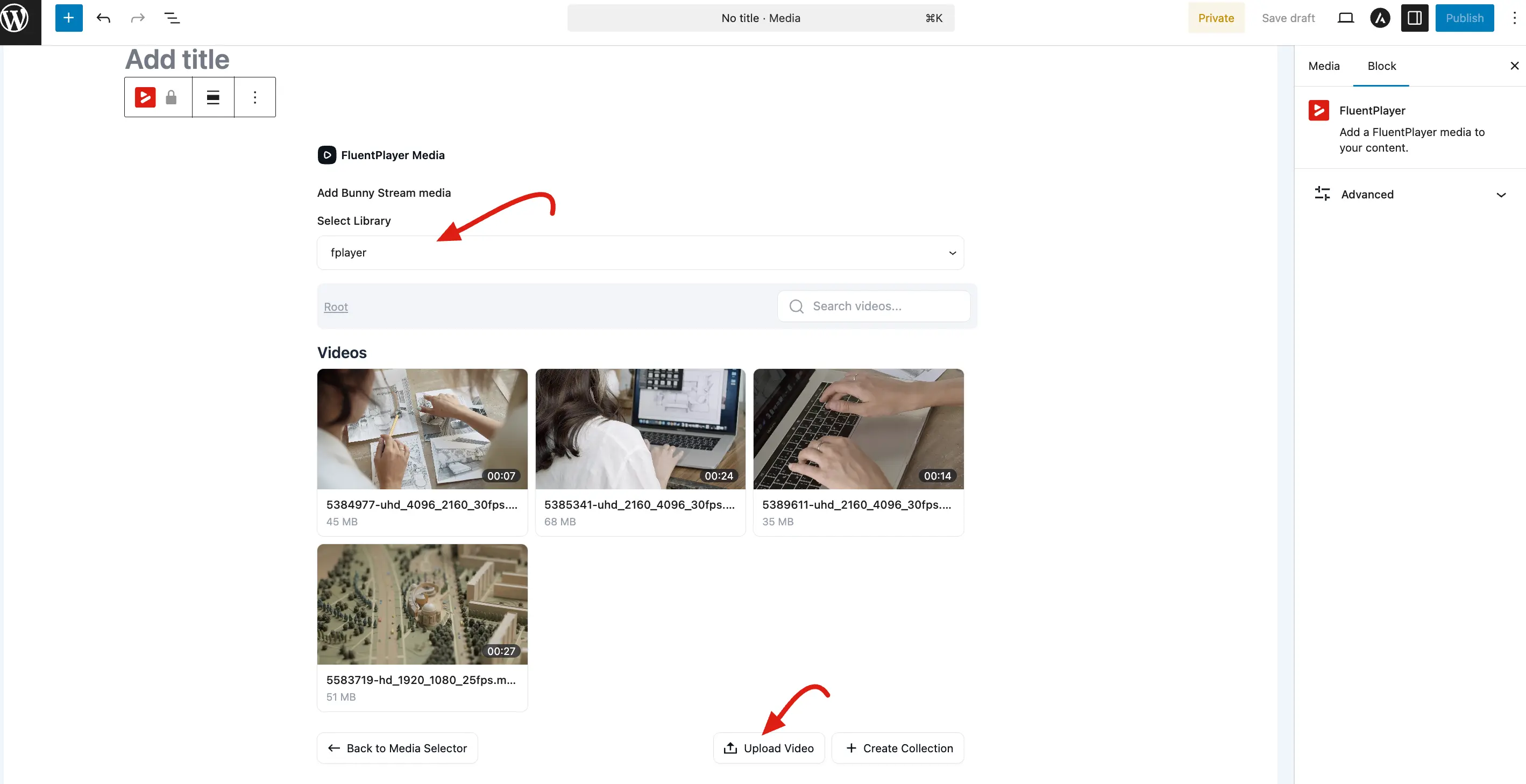
- Select the library (if you have multiple).
- Select the video you want to use.
- Save the media.
The player will now stream the video from Bunny's CDN when viewers watch it on your site.
Managing Videos from WordPress
FluentPlayer Pro allows you to handle common video management tasks without leaving your site:
- Browse Libraries: View all your Bunny Stream libraries and videos directly in the media picker.
- Upload Videos: Send video files from WordPress to Bunny Stream for automatic encoding.
- Update Metadata: Edit video titles and descriptions from the WordPress UI.
- Delete Assets: Remove videos from your Bunny account when they are no longer needed.
Related: Video Sources: Choosing Bunny as a source.
Bunny Stream vs Bunny Storage
| Bunny Stream | Bunny Storage | |
|---|---|---|
| Purpose | Full video platform (encoding + CDN) | File storage + CDN delivery |
| Encoding | Automatic (multiple qualities) | None (you upload ready to play files) |
| Best for | Most video use cases | When you have pre encoded files |
| Price | Per minute watched | Per GB stored + transferred |
Most users should use Bunny Stream. Use Bunny Storage only if you already have pre encoded files and want simple file hosting.
Integrating BunnyCDN Stream provides a professional, scalable hosting solution that reduces server load and ensures fast video playback for users worldwide.